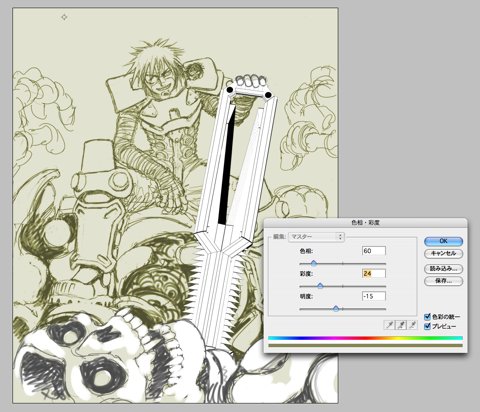
Apply the base color to the whole screen.
The base color for this time is yellow at low saturation.
It is a light color of so-called olive drab.
The low saturation yellow looks like green rather than yellow.
I have wanted to draw with this kind of color from before.
Reopen the file by Photoshop and select "Image" ->"Adjustments" -> "Hue/Saturation."
Check "Colorize" and set up as shown above.
Apply the color to each of three layers with the same setup.
Clicking "Save" in the dialog to save the parameters of "Hue/Saturation" and then loading it allow you to use exactly the same setup. |